Coming soon

A disk space app for Mac that never deletes anything

Find out where your Mac's storage went.

SpaceCoach scans your disk, shows what's taking up the space, and explains each big item in plain English: what it is, and whether it's safe to remove.

Coming soon for MacSee how it works

macOS 15 Sequoia or later · Apple silicon and Intel

SpaceCoach's Overview: a 494 GB disk with 33 GB free, a bar split into categories like Your files, Apps and Photos & media, and a list of the biggest items worth a look.

How it works

The whole disk, explained.

See everything at a glance

One scan sorts your disk into eight plain categories, then lists the biggest things worth a look, largest first.

  • Your files
  • Apps
  • Photos & media
  • Developer
  • iPhone backups
  • System & macOS
  • Snapshots
  • Unaccounted

Explore any folder

Click into a ring to go deeper, or switch to a treemap. Every folder shows its real size on disk, and Reveal in Finder takes you straight to it.

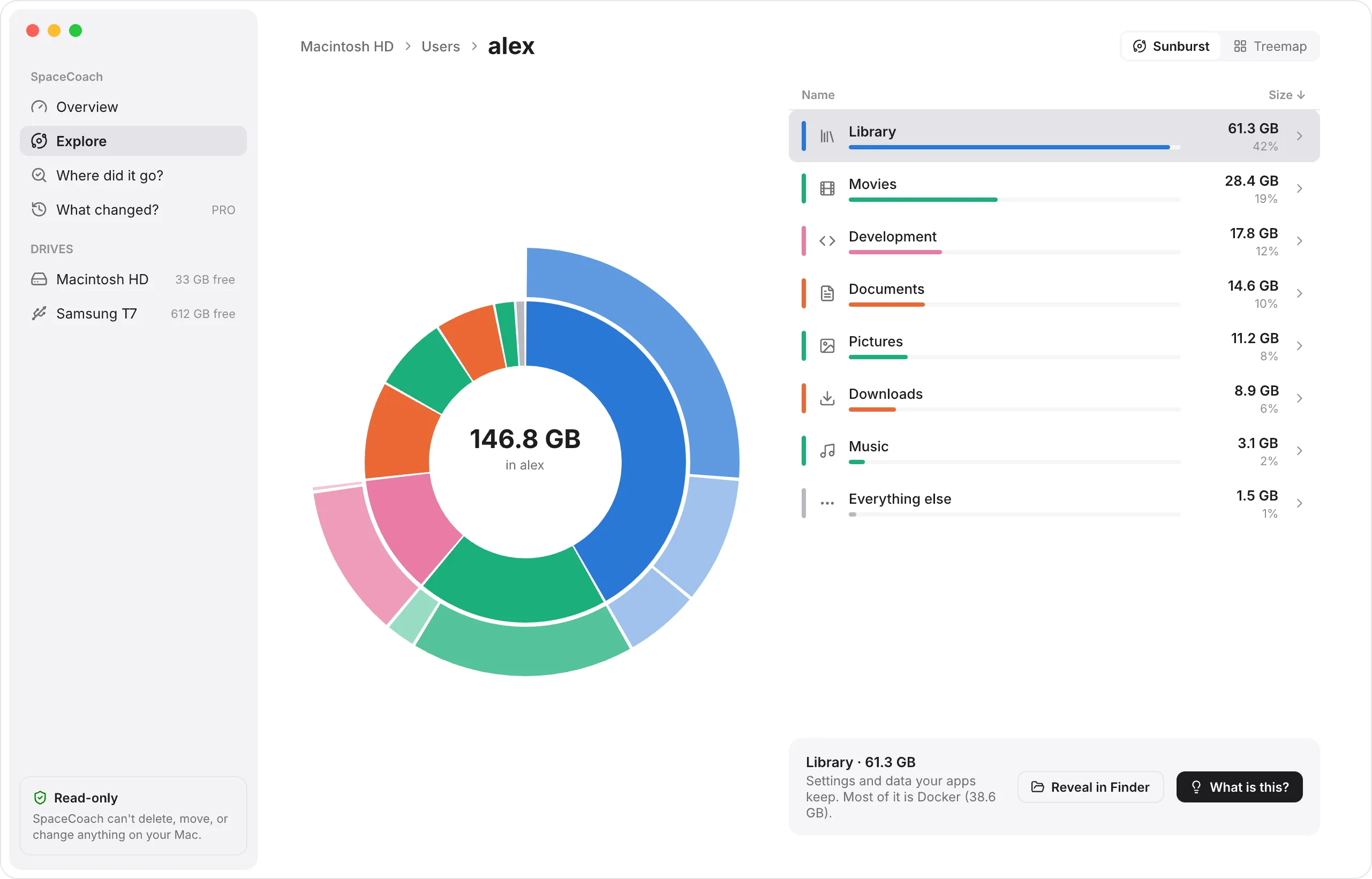
Explore: a sunburst chart of the home folder, with Library, Movies and Development as the biggest rings, beside a list of folder sizes.

Finally, an answer for “System Data”

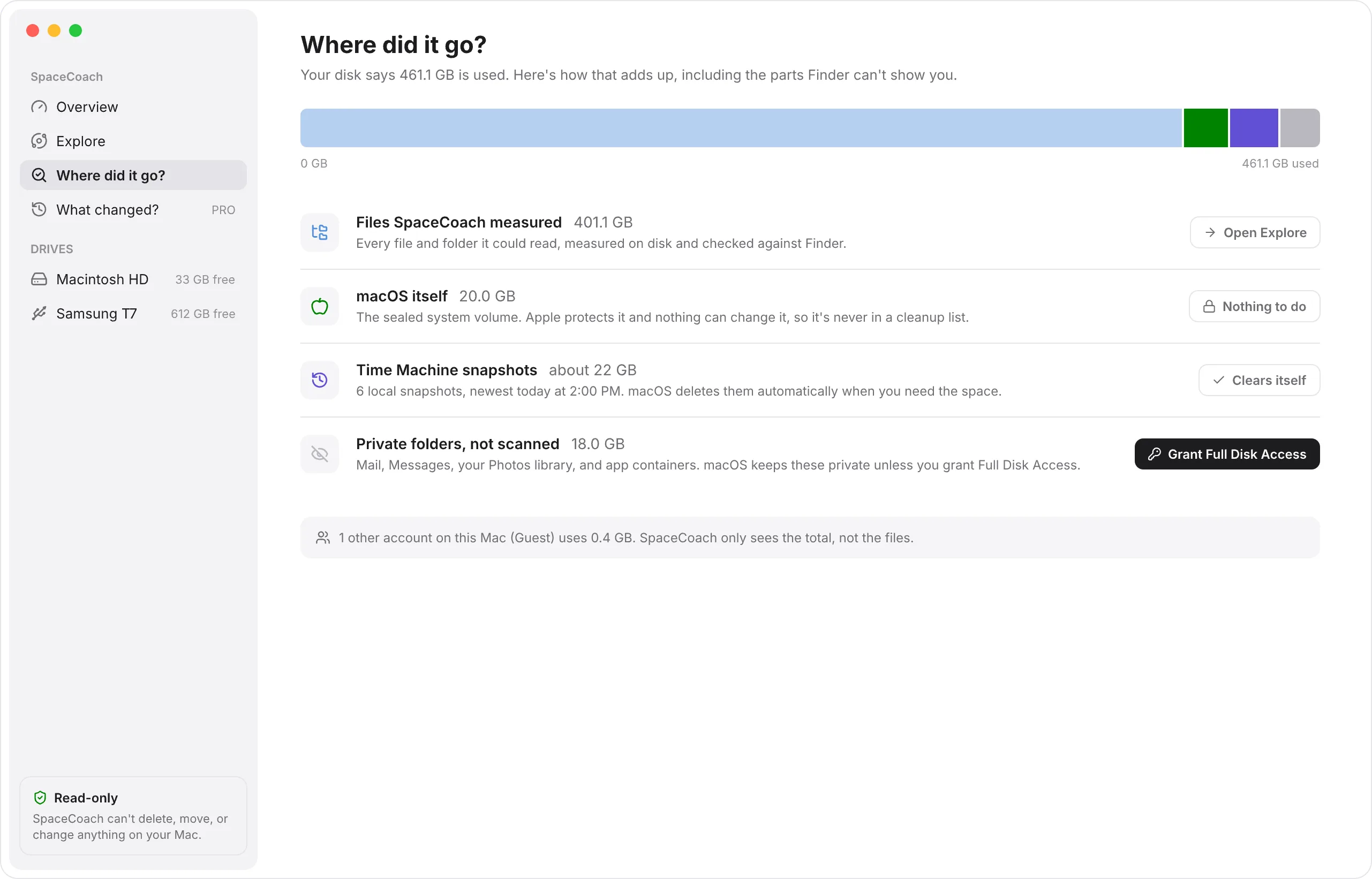
Finder, System Settings and a scan rarely agree. Where did it go? lays the numbers side by side and explains the gap: purgeable space, Time Machine snapshots on your Mac, and folders macOS keeps private.

Where did it go?: 461.1 GB used, broken down into files SpaceCoach measured, macOS itself, Time Machine snapshots that clear themselves, and private folders that need Full Disk Access.

Know what's safe before you touch it

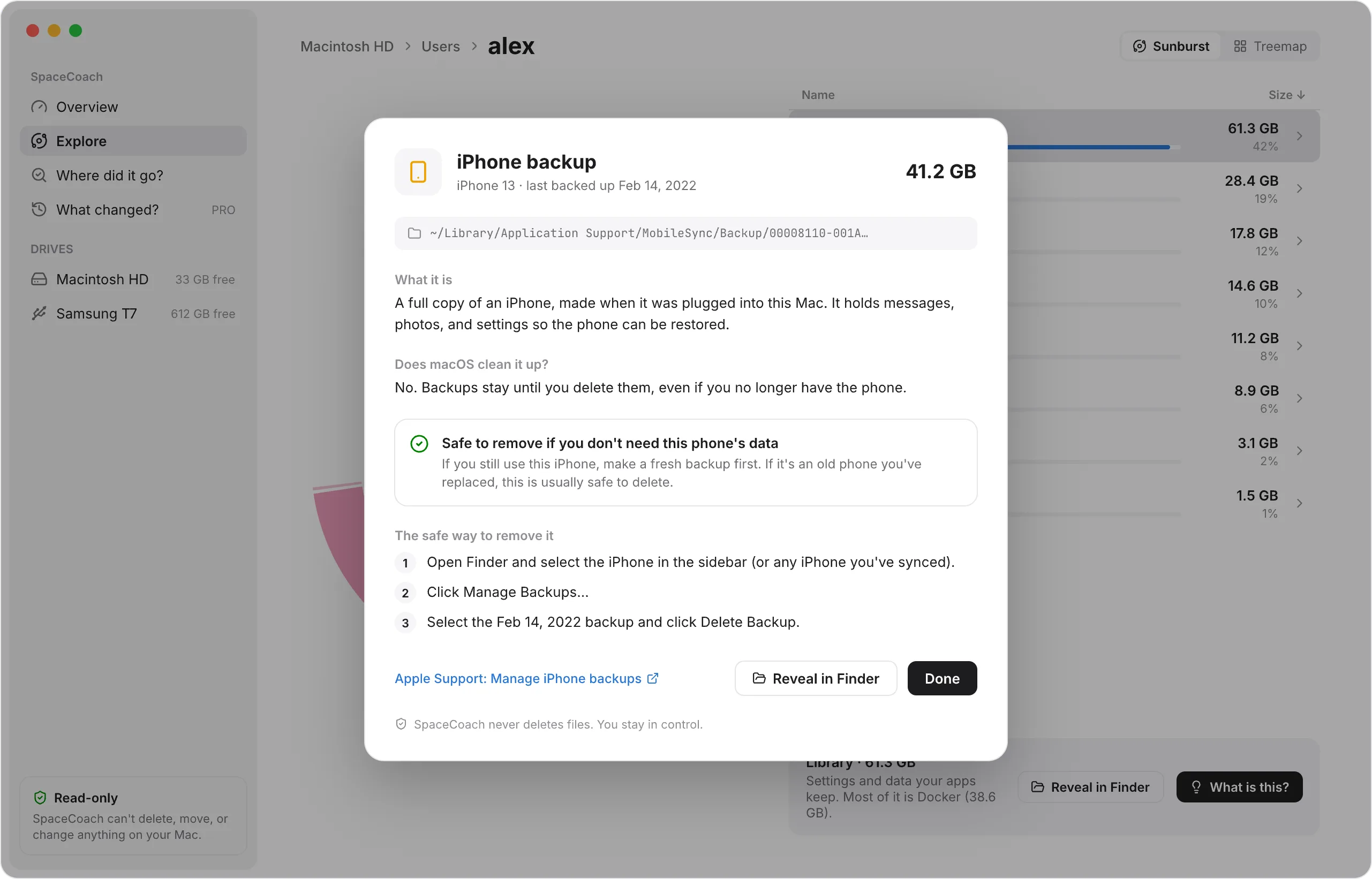
Big items get a What is this? card: what the thing is, why it's there, and Apple's own way to deal with it. Each card carries one of four plain labels:

Safe to remove
once you've checked the one thing the card names
Check first
it might hold something you need
Use its app
clean it up from inside the app that owns it
Leave it to macOS
removing it by hand doesn't help for long
A What is this? card for a 41.2 GB iPhone backup: what it is, that macOS never cleans it up, a Safe to remove if you don't need this phone's data label, and the steps to remove it in Finder.

The promise

It doesn't just avoid deleting your files. It can't.

“Cleaner” apps make money by scaring you into deleting things. SpaceCoach explains instead, and leaves every decision to you.

  • Read-only, by design

    SpaceCoach has no code that deletes, moves or changes your files. The only things it writes are its own settings and scan history.

  • Private

    Scans run on your Mac and stay there. No analytics, no accounts. The app goes online only to check for updates, when you ask it to or turn on automatic checks.

  • Points you to Apple's tools

    When something can be cleaned up, SpaceCoach shows the safe way to do it yourself: the right System Settings pane, the app that owns it, or Finder.

Pricing

Free to use. Pay once for Pro.

No subscription, no trial clock. The free version tells you the truth about your disk; Pro keeps track of it over time.

Free

$0

Free for good, not a trial.

  • Full scan of your Mac's internal disk
  • Overview, with the biggest items worth a look
  • Explore every folder as rings or a treemap
  • Where did it go? for System Data and the missing space
  • What is this? cards with safety labels
Coming soon for Mac

SpaceCoach Pro

$9.99Regular price $14.99one-time

Launch price for the first 60 days after release, then $14.99.

  • Everything in Free
  • What changed? since your last scans
  • An optional weekly check-in reminder
  • Scan external and other drives
  • Every 1.x update
  • Use it on all your own Macs
Get Pro

30-day money-back guarantee.

Questions

Good to know

Is SpaceCoach a Mac cleaner?

No. It shows and explains what's on your disk, and it can't delete anything. When something can be cleaned up, it tells you the safe way to do it yourself.

Why doesn't it just delete things for me?

Because a big file isn't the same as a useless one. An old iPhone backup might be the only copy of your photos. SpaceCoach tells you what something is and how safe it is to remove, then leaves the choice with you.

What is “System Data”, and why is it so big?

It's the catch-all part of the storage bar in System Settings. It often includes caches, Time Machine snapshots kept on your Mac, and space macOS will free on its own when it needs to. Where did it go? breaks it down for your Mac.

Why does it ask for Full Disk Access?

macOS keeps some folders private, like Mail, Messages and your Photos library. With Full Disk Access SpaceCoach can measure them too. It's optional: without it the app still works and lists those folders as not scanned.

Does it send my files or file names anywhere?

No. Scans happen on your Mac and stay there, and there are no analytics. The only time SpaceCoach goes online is to check for updates: when you choose Check for Updates, or automatically if you turn that on.

Is Pro a subscription?

No. You pay $9.99 once during the launch period ($14.99 after that) and get every 1.x update.

Can I use Pro on more than one Mac?

Yes. One Pro license covers all the Macs you personally own or use.

What if Pro isn't for me?

Ask for a refund within 30 days of buying and you'll get your money back, no questions asked.

Which Macs does it run on?

SpaceCoach needs macOS 15 Sequoia or later, and runs on both Apple silicon and Intel Macs.